

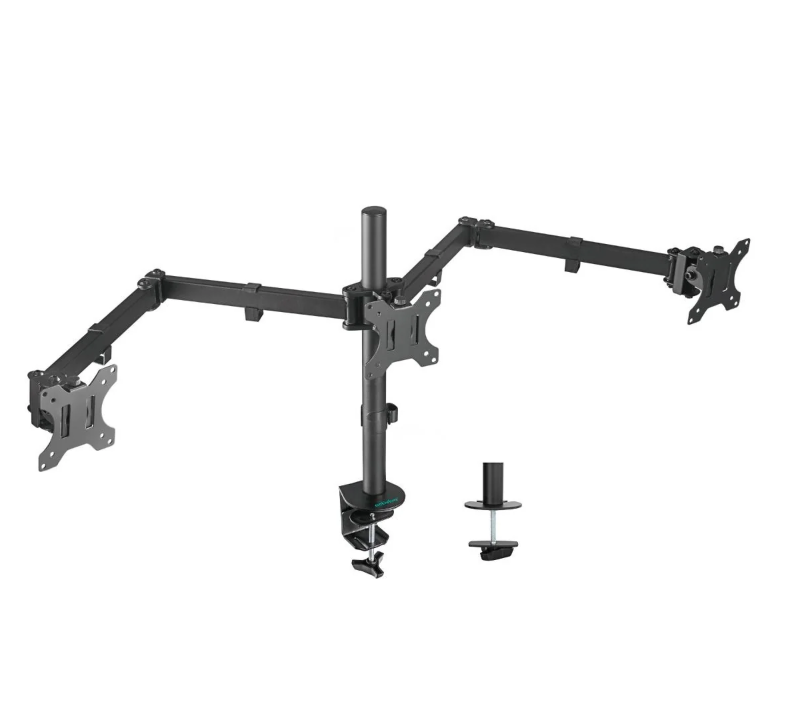
A triple monitor workstation bundle can transform a standard computer setup into a spacious, organized, and highly productive workspace. Instead of constantly switching between applications and windows, three displays allow you to keep multiple tasks visible at the same time. Whether you work from home, manage business operations, develop software, analyze data, create digital content, or simply want a more efficient desk setup, a triple-monitor workstation can provide the additional screen space needed for modern multitasking.
A well-planned three-screen setup is not simply about adding more monitors. The laptop or desktop, graphics capabilities, connections, docking equipment, desk space, and monitor arrangement all need to work together.
What Is a Triple Monitor Workstation Bundle?
A triple monitor workstation bundle typically combines multiple displays with the equipment needed to create a multi-screen workspace. Depending on the package, it may include three monitors, display cables, stands or mounting equipment, and compatible workstation accessories.
Some setups may also incorporate:
- A desktop computer
- A laptop
- A docking station
- Keyboard and mouse
- Monitor stands
- Display adapters
- USB accessories
- Networking equipment
The exact configuration depends on the user’s computer and requirements.
Before purchasing a bundle, it is important to check whether the included equipment is compatible with your existing computer.
Three Monitor Bundle in Australia: What Should You Consider?
When searching for a three monitor bundle in Australia, buyers should consider more than the number of screens included.
Important specifications can include:
- Screen size
- Resolution
- Refresh rate
- Panel type
- Connectivity
- HDMI or DisplayPort availability
- USB functionality
- Stand configuration
- Warranty or support
- Compatibility with your computer
For office productivity, high resolution and comfortable viewing can be particularly important. For gaming or specialized visual applications, refresh rate and response time may become more significant.
Choosing displays according to your actual workload helps ensure that the workstation provides meaningful benefits rather than unnecessary specifications.
Why Use Three Monitors?
The biggest advantage of a triple-monitor setup is increased screen space.
With one display, you may have to repeatedly switch between:
- Documents
- Spreadsheets
- Browsers
- Communication tools
- Project management software
With three screens, these applications can remain visible simultaneously.
For example:
Monitor 1: Main project or document
Monitor 2: Browser and research
Monitor 3: Email, messaging, or monitoring tools
This arrangement can make multitasking more convenient and reduce the need to constantly minimize and reopen windows.
Triple Monitor Bundle for Remote Work
Remote workers often manage several applications throughout the day. A triple-monitor workstation can help create a more structured home office.
A possible setup could place a video meeting on one screen, the main work application on another, and reference documents on the third.
This can be useful for:
- Project managers
- Virtual assistants
- Accountants
- Marketing professionals
- Developers
- Customer service teams
- Administrative professionals
- Researchers
A larger workspace can also make it easier to organize information visually.
Triple Monitor Workstations for Business
Businesses can benefit from multi-monitor setups when employees regularly work with multiple applications.
For example, an employee may need to monitor a CRM system, communication platform, and reporting dashboard at the same time.
A three-screen setup can be particularly useful for:
- Finance teams
- Operations teams
- Sales professionals
- Data analysts
- IT departments
- Security monitoring
- Customer support
Businesses can also standardize workstation configurations across departments to make equipment easier to manage.
Choosing the Right Monitor Size
Monitor size is an important consideration when designing a triple-screen workstation.
Three large monitors can provide substantial viewing space, but they also require considerable desk space.
Common considerations include:
- Desk width
- Viewing distance
- Monitor bezels
- Mounting options
- Screen resolution
- Workspace layout
For smaller desks, compact monitors may provide a better balance between screen space and physical footprint.
Monitor Resolution Matters
Resolution determines how much detail can be displayed on the screen.
Higher-resolution displays can provide sharper text and more workspace, which can be beneficial when working with spreadsheets, images, documents, or detailed interfaces.
However, your computer must also be capable of supporting the desired resolution across three displays.
Before buying, check the graphics capabilities of your laptop or desktop and confirm the available display outputs.
Connecting Three Monitors to a Laptop
Connecting three monitors to a laptop can require additional hardware depending on the laptop’s ports and graphics capabilities.
Possible solutions may involve:
- USB-C docking stations
- Thunderbolt docks
- DisplayPort connections
- HDMI connections
- Compatible display adapters
Not every laptop can natively support three external displays, so compatibility should be confirmed before purchasing.
A suitable docking station can simplify cable management and make it easier to connect multiple peripherals through a single workstation connection.
Triple Monitor Bundle and Docking Stations
For professionals who use laptops, a docking station can be a valuable part of a triple-monitor workstation.
A docking station can potentially connect:
- Multiple displays
- Keyboard
- Mouse
- Ethernet
- USB devices
- External storage
- Audio equipment
This can create a cleaner desk setup and make it easier to switch between mobile and stationary working.
For example, you can disconnect one cable from your laptop and take the computer with you, then reconnect it when returning to your workstation.
Organizing Three Monitors
The physical arrangement of your monitors can have a major impact on comfort.
A common configuration is:
Left monitor → Main monitor → Right monitor
Some users prefer the center monitor directly in front of them, with the two additional screens angled slightly inward.
Monitor arms can also help adjust:
- Height
- Viewing angle
- Distance
- Screen alignment
A properly aligned setup can create a cleaner workspace and make prolonged computer use more comfortable.
Triple Monitor Workstation for Developers
Developers often work with multiple windows simultaneously.
A three-monitor configuration could be used for:
- Code editor
- Browser testing
- Terminal
- Documentation
- Database tools
- Communication platforms
This can make it easier to compare code, documentation, and application output without constantly switching windows.
Triple Monitor Setup for Content Creators
Content creators can also benefit from additional display space.
For example:
Screen 1: Editing timeline
Screen 2: Preview window
Screen 3: Assets, scripts, or research
Video editing, graphic design, photography, and other creative workflows can involve many panels and tools, making additional screen space particularly useful.
Building a Cost-Effective Workstation
A triple-monitor setup doesn’t necessarily require purchasing every component brand-new.
Depending on your needs, refurbished computers and monitors can provide a cost-conscious way to build a capable workstation.
When considering refurbished equipment, look for sellers that provide:
- Device testing
- Cleaning
- Clear specifications
- Condition information
- Appropriate support
- Compatible accessories
The goal is to find equipment that provides reliable performance while staying within your budget.
Things to Check Before Buying
Before purchasing a triple monitor workstation bundle, make sure you confirm:
- Computer compatibility – Can your laptop or desktop support three displays?
- Ports – Do you have the required HDMI, DisplayPort, USB-C, or Thunderbolt connections?
- Resolution support – Can the computer drive all three monitors at their intended resolution?
- Desk space – Is there enough room for three displays?
- Mounting – Will standard stands or monitor arms work for your setup?
- Cables – Are the necessary cables included?
- Power requirements – Can your workstation accommodate the equipment?
- Future upgrades – Can the setup be expanded or modified later?
Taking these factors into account can help prevent compatibility problems.
A triple monitor workstation bundle can provide a practical way to create a more spacious and organized digital workspace. From remote work and business operations to software development, data analysis, and content creation, three displays can make multitasking more convenient and keep important information visible. When comparing a three monitor bundle in Australia or a triple monitor bundle, consider monitor specifications, computer compatibility, connectivity, desk space, and the accessories needed to create a complete workstation.
If you’re ready to build a reliable multi-monitor setup, Tech Trade Group can help you explore suitable computers, monitors, docking solutions, and workstation equipment. Whether you’re upgrading a home office or creating multiple business workstations, Tech Trade Group offers practical technology solutions designed around different performance and budget requirements. Contact Tech Trade Group today to find the right equipment for your triple-monitor workstation and create a more productive workspace.